Tap Add Score
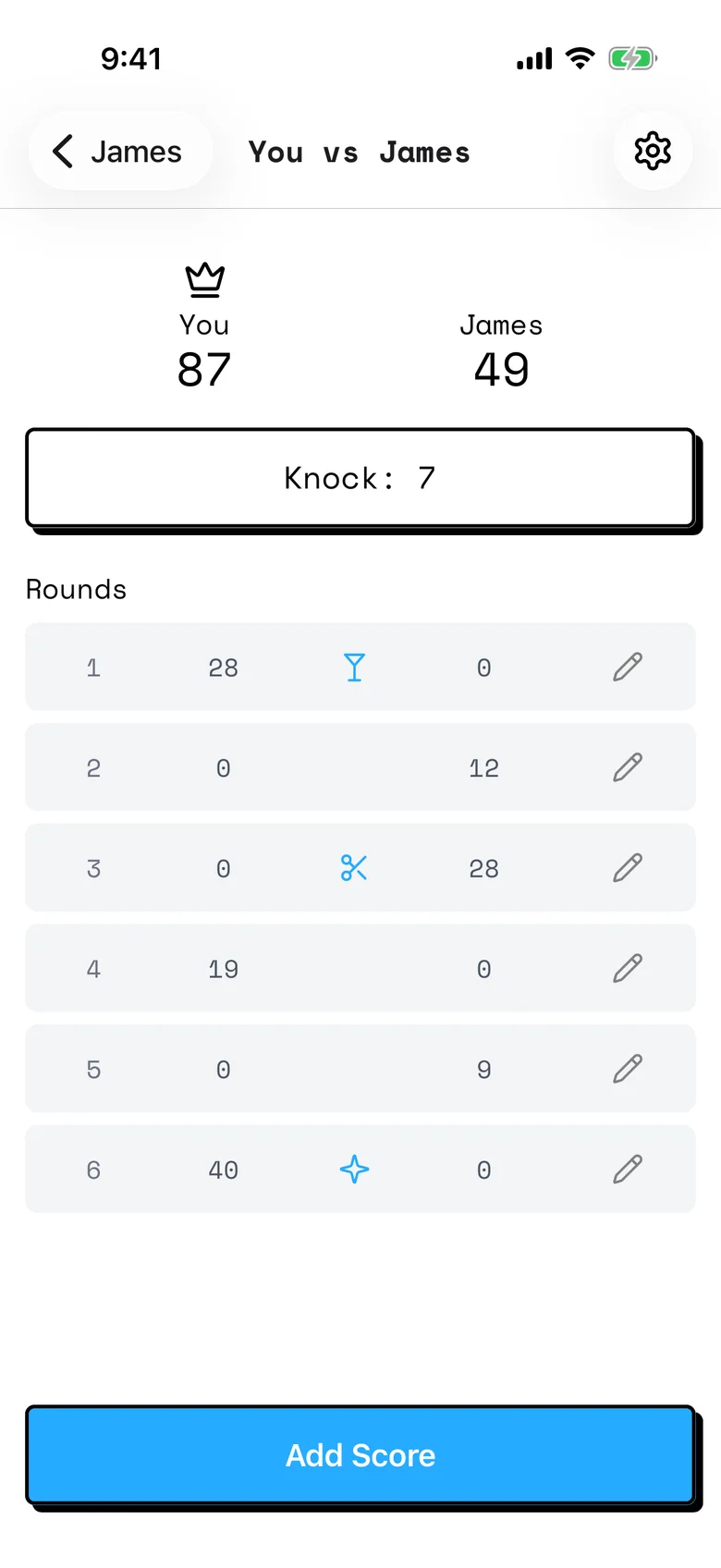
You vs James
You
87
James
49
Rounds
Gin Score Tracker • 2025–2026
Gin Rummy scores, round by round
Overview
Gin Score Tracker keeps score for 2-player Gin Rummy, including who won each hand, the bonuses, and the running total to 100. It was born out of my love for playing Gin with family and the need for a better way to keep track of our scoring.
- Each Apple Account that downloaded it, counted once.
- 1,143
- Premium purchases per unique user, since launch. One-time unlocks and new subscriptions count, not renewals or promo codes.
- 11.2%
- Countries where at least 1 person downloaded it. Most are in the US, then Canada, Australia and the UK.
- 39
- From 6 US ratings since June 2026.
- 5.0★
It was my first fully shipped mobile app. It’s been on the App Store since June 2, 2025, and it later became the starting point for Hearts and the rest of my score trackers.
- Role
- Solo designer and developer
- Timeline
- May 2025 to June 2026
- Platform
- iPhone, iPad and Mac
Results
People found it, kept it, and paid for it.
6 versions on the App Store since June 2025, rated 5.0 from the 5 ratings since my June 2026 update. It’s free to play, with 1 opponent and games to 100. Premium unlocks more opponents and games and higher targets.
It passes the grandpa test
Everyone I’ve talked to, ages 8 to 94, has been able to figure it out.
★★★★★
“Got a love a simple, clean app with no ads popping up in your face every 5 seconds. Love how easy this app is to use.”
It keeps growing
On average, it got 37 new users a month in 2025 and 87 in 2026 so far.
First-time downloads each month since launch, from App Store Connect, updated daily.
- June 2025, 45 new users
- July 2025, 42 new users
- August 2025, 36 new users
- September 2025, 17 new users
- October 2025, 27 new users
- November 2025, 34 new users
- December 2025, 61 new users
- January 2026, 103 new users
- February 2026, 76 new users
- March 2026, 60 new users
- April 2026, 79 new users
- May 2026, 77 new users
- June 2026, 87 new users
- July 2026, 123 new users
- August 2026, 107 new users
- September 2026, 81 new users
- October 2026, 79 new users
New users jumped in January 2026 and again in July. My guess is the holidays and summer vacations, when families play cards together.
People keep it
- Of everyone who had downloaded it by then.
- 52%
★★★★★
“We love this app! It’s clean and simple to use. Had been great for keeping a long running score going. So far we’re at 35 games and it’s still pretty neck and neck”
By the numbers
- Each Apple Account that downloaded it, counted once.
- 1,143
- Every download, including reinstalls and new devices.
- 1,287
- 128
- Premium purchases per unique user.
- 11.2%
- Countries where at least 1 person downloaded it. Most are in the US, then Canada, Australia and the UK.
- 39
- Unique users who downloaded it on an iPhone, not an iPad or Mac.
- 92%
Problem
How might we make keeping score in Gin as easy as pen and paper, for players of every age?
Traditionally, players keep score with pen and paper, which makes it hard to look back at past games. An app has to be as easy to use as a pen, and it has to work for non-technical players too, including older users who play Gin.
One winner
Only the player who wins a hand scores it.
Bonuses on top
Going Gin adds 25, Big Gin 31 and an undercut 25, so the total isn’t just the number on the cards.
House rules
Tables play to different targets and bonus values.
Goal
Everyone in my family should be able to use it.
How I’ll know I’ve succeeded
The “grandpa test,” as I call it. If my grandpa can understand it, anyone can.
Research
How do people keep score, and what do the apps get wrong?
- Competitive analysis
- 5 Gin score apps
- Review analysis
- Their App Store reviews
- User interviews
- 5 players
- Market data
- A 2023 YouGov poll
In a 2023 YouGov poll, 67% of Americans 65 and older had played Gin Rummy, compared with 24% of adults under 30.
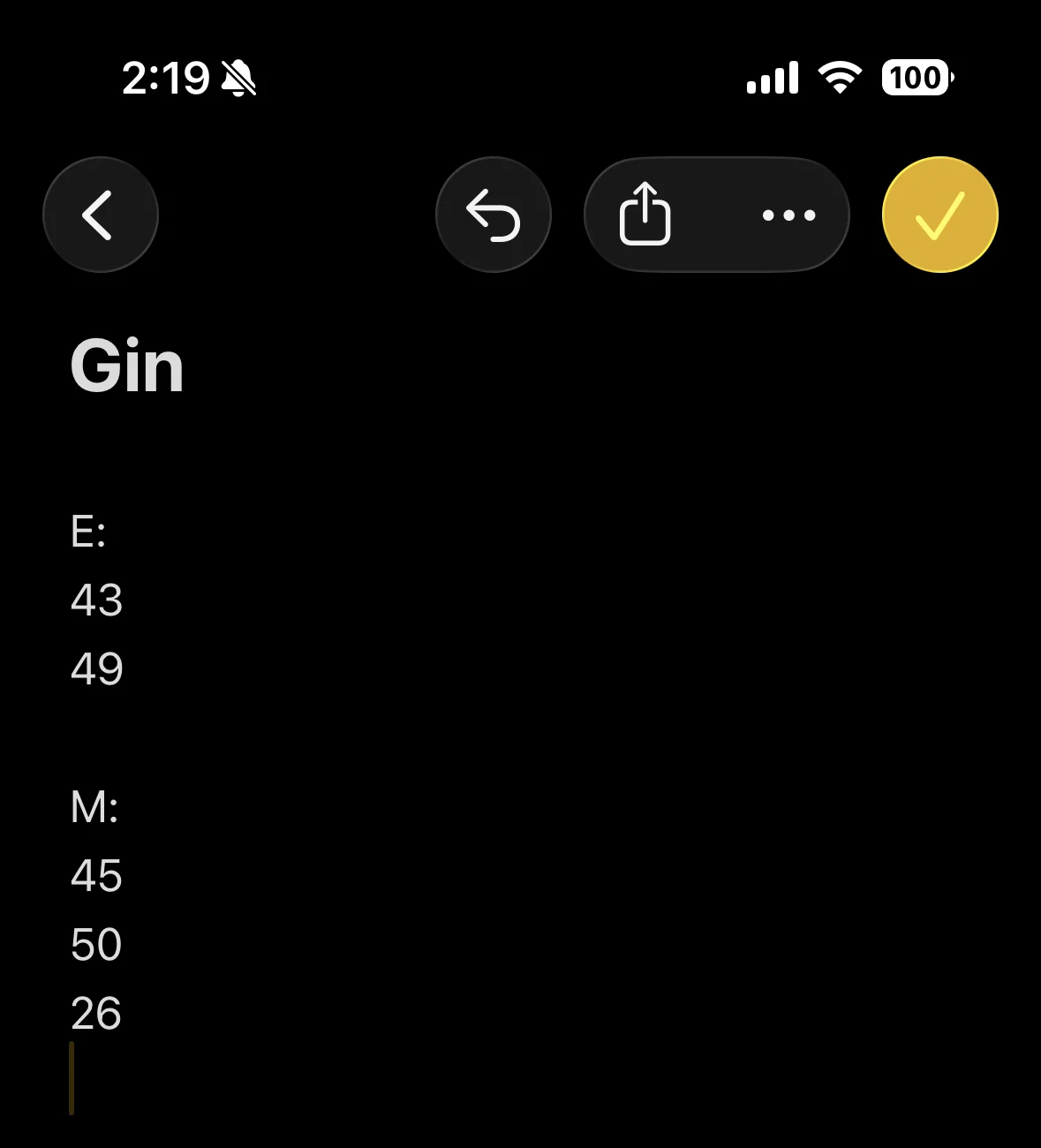
I started with existing behavior, how players already kept score, on paper or in the Notes app.
I chose to design phone first because when people are playing, they have their phone handy, even if they don’t have pen and paper nearby. And the data supports it.
Unique users by the device they downloaded it on, since launch. From App Store Connect, updated daily.
Then I did a competitive analysis where users were already looking for a solution, the App Store. I mapped every app that keeps score for Gin played with real cards.
Most of them hadn’t changed in years
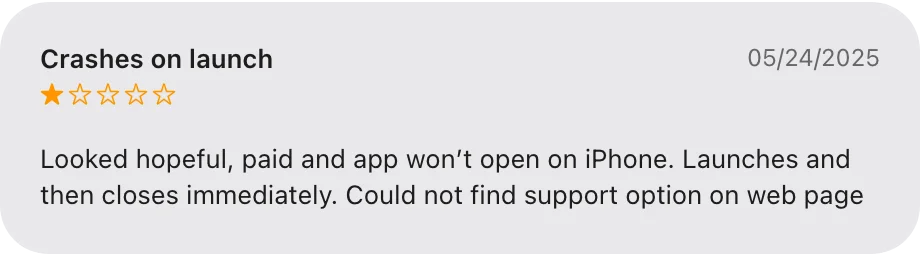
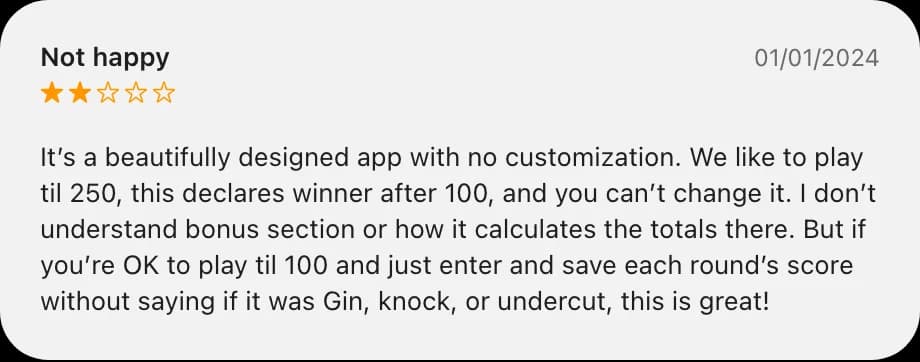
At least 84 apps on the App Store let you play Gin on your phone, but only 5 kept score for a game at a real table. 3 of those 5 hadn’t been updated in over 18 months. GinSC’s last update was in November 2022, and by 2025 it crashed as soon as it opened. To differentiate, I lowered the barrier to entry with a free trial game instead of payment up front, a lesson from the paid app that crashed.
Players wanted their own rules
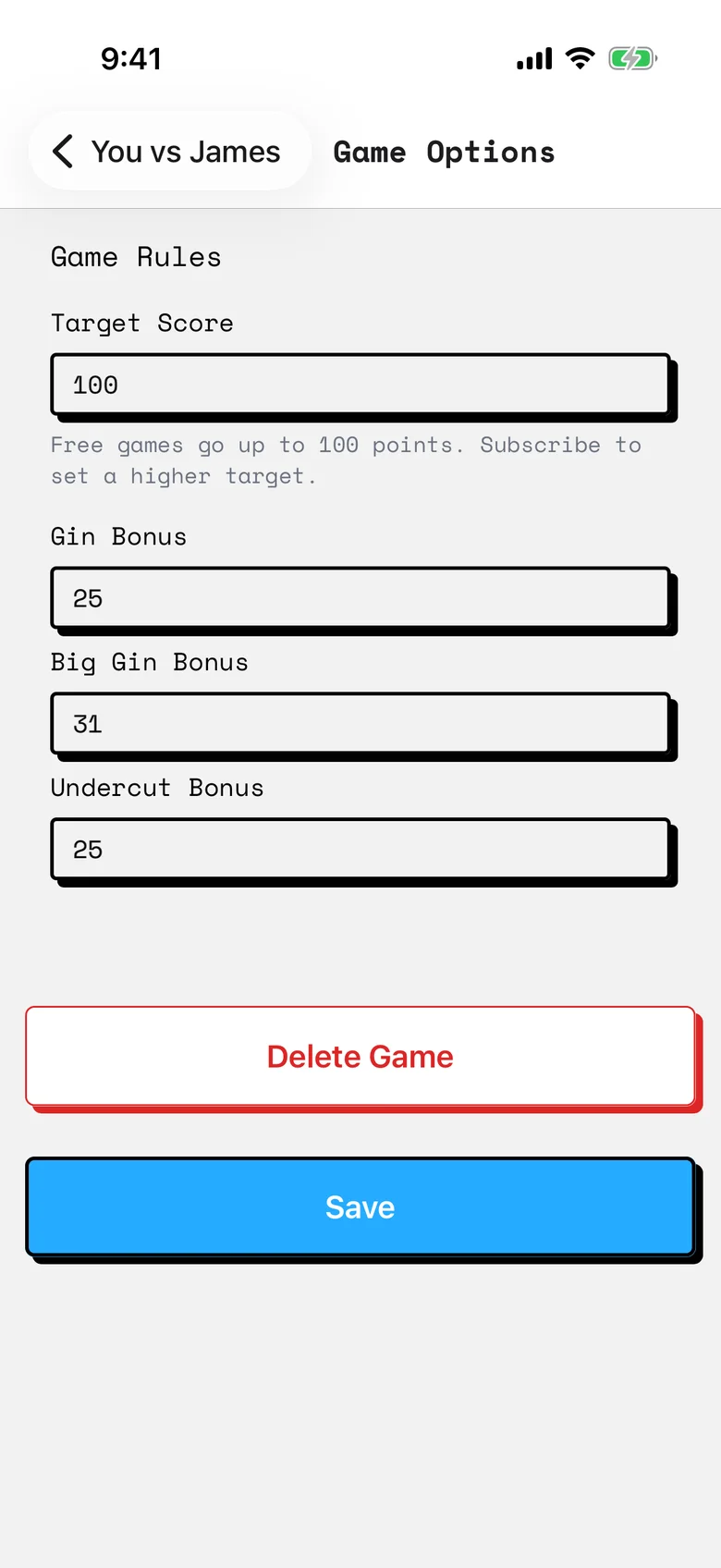
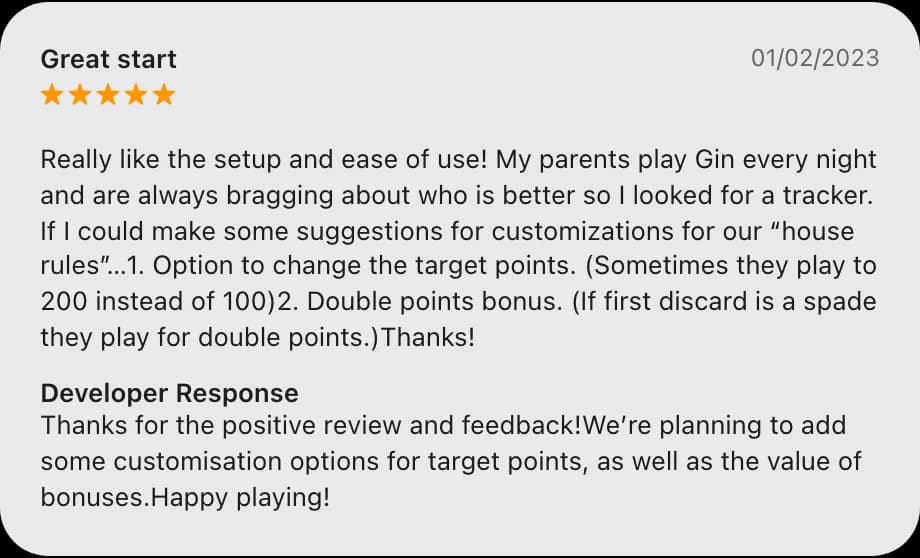
Customization came up in 8 of the 19 reviews of GinSC and Gin Rummy Score Tracker, like a different target score or different bonus values. Gin Rummy Score Tracker’s developer promised both in January 2023, and they never shipped, so I designed for flexibility across play styles and rules.
Game options
The free ones were built for something else
None of the free options fit the use case. Ginscorer Pro is a grid for 2 to 4 players playing for money, and Rummy Score Sheet is built for a different Rummy, with 6 of its 10 reviews complaining about ads. So I kept mine to 2 players and left out ads.
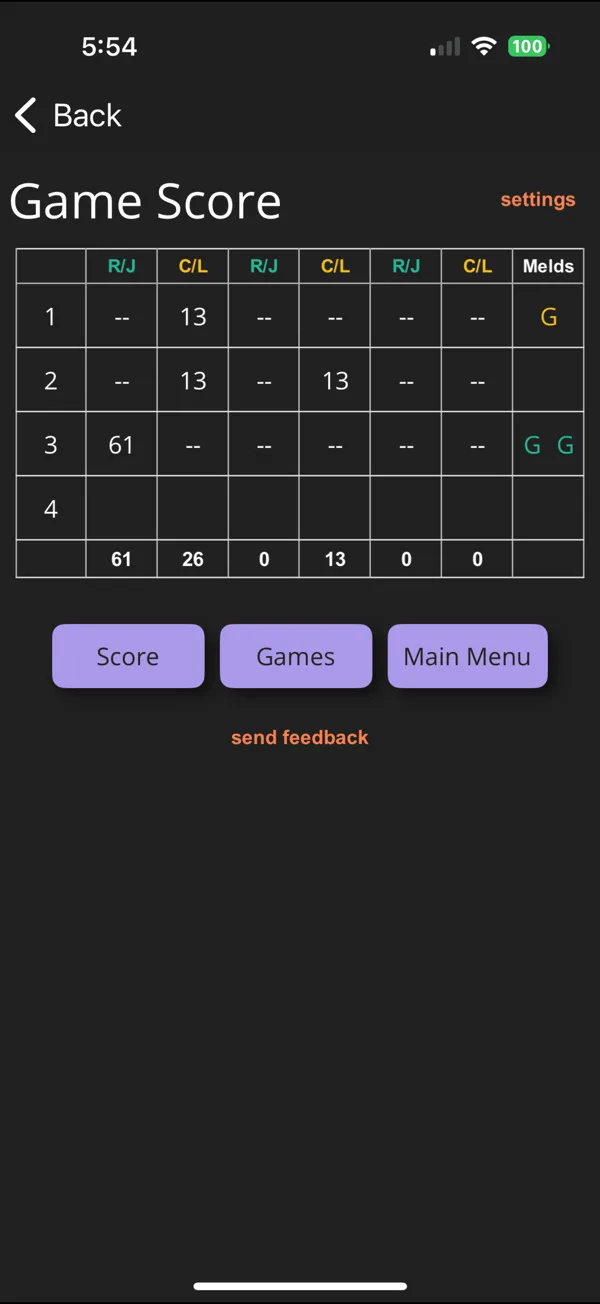
Ginscorer Pro
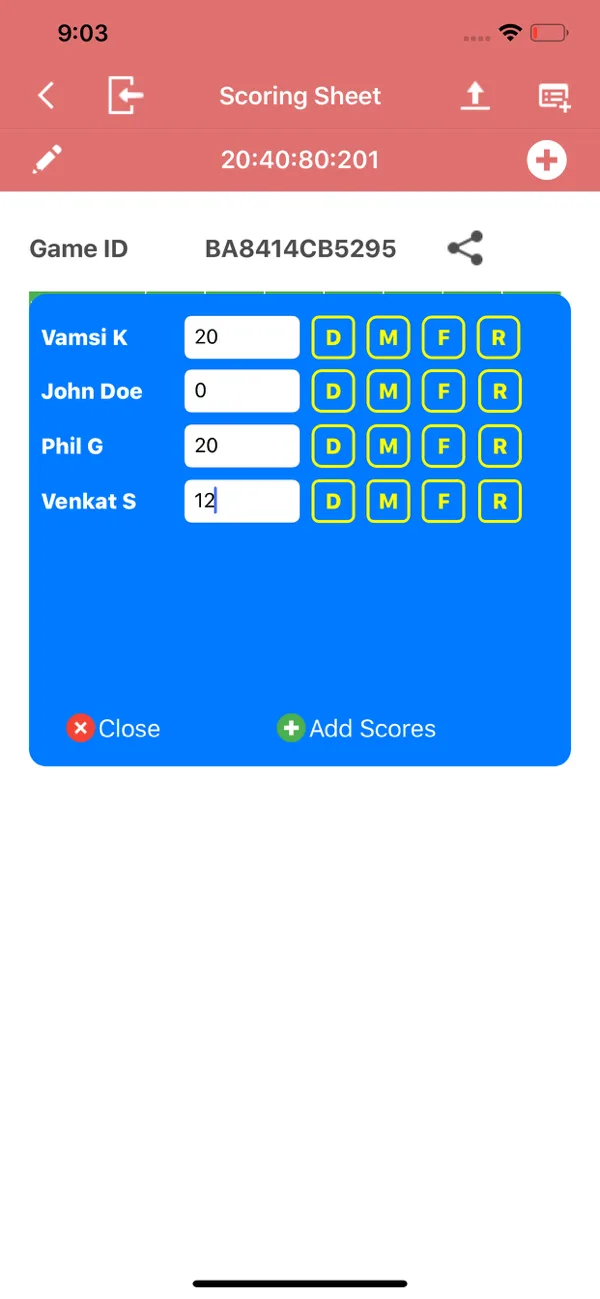
Rummy Score Sheet
The most successful app asked who won first
Gin Rummy Score Tracker had the best usability, for me and for the other users I asked. Its flow matched their mental model. With pen and paper, 5 of the 5 people I asked counted the cards first and added the bonus after, so I designed the app to ask for the winner first, then the points, then the bonus.
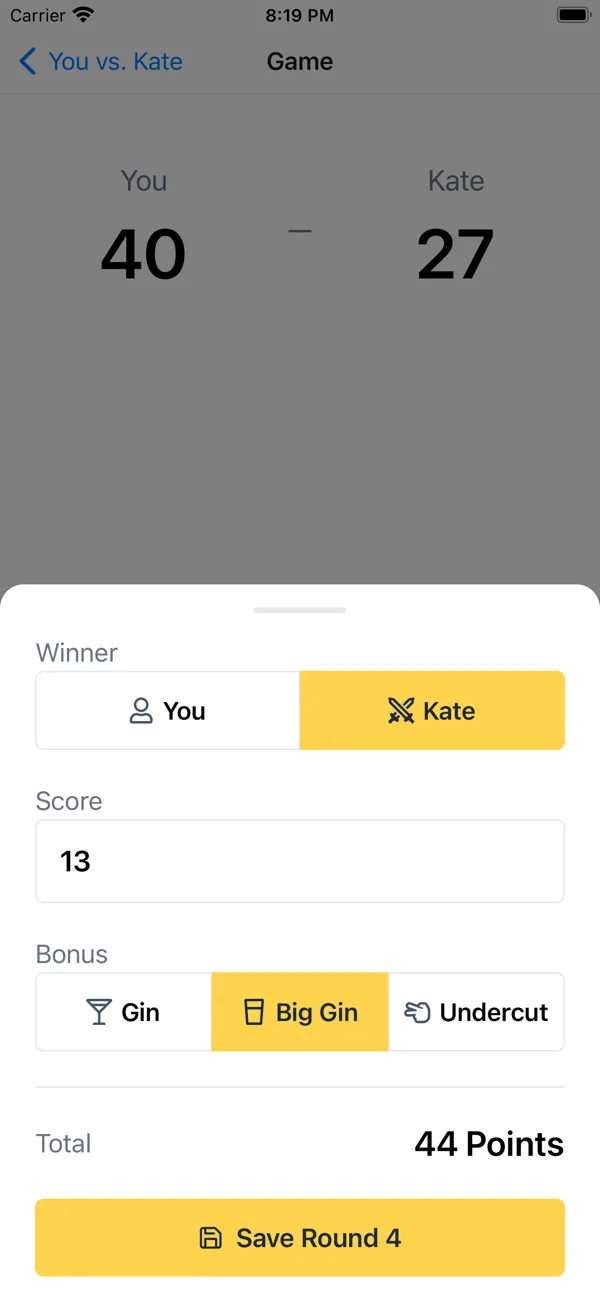
Gin Rummy Score Tracker
Mine, 1.0
Its pain points were $2.99 up front, fixed rules, and no updates since May 2023. I kept that flow and designed around its pain points.
Ideation
Who won, then how much.
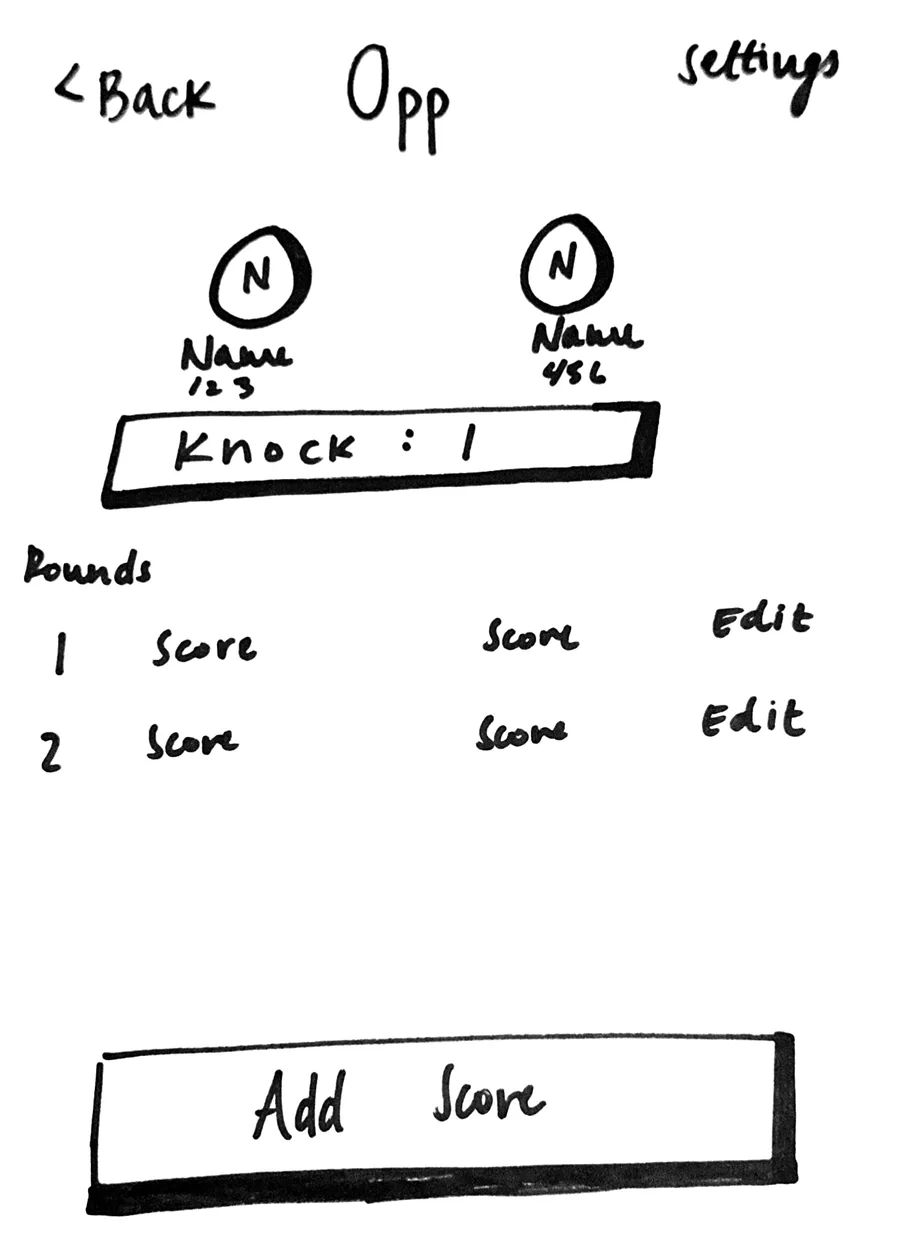
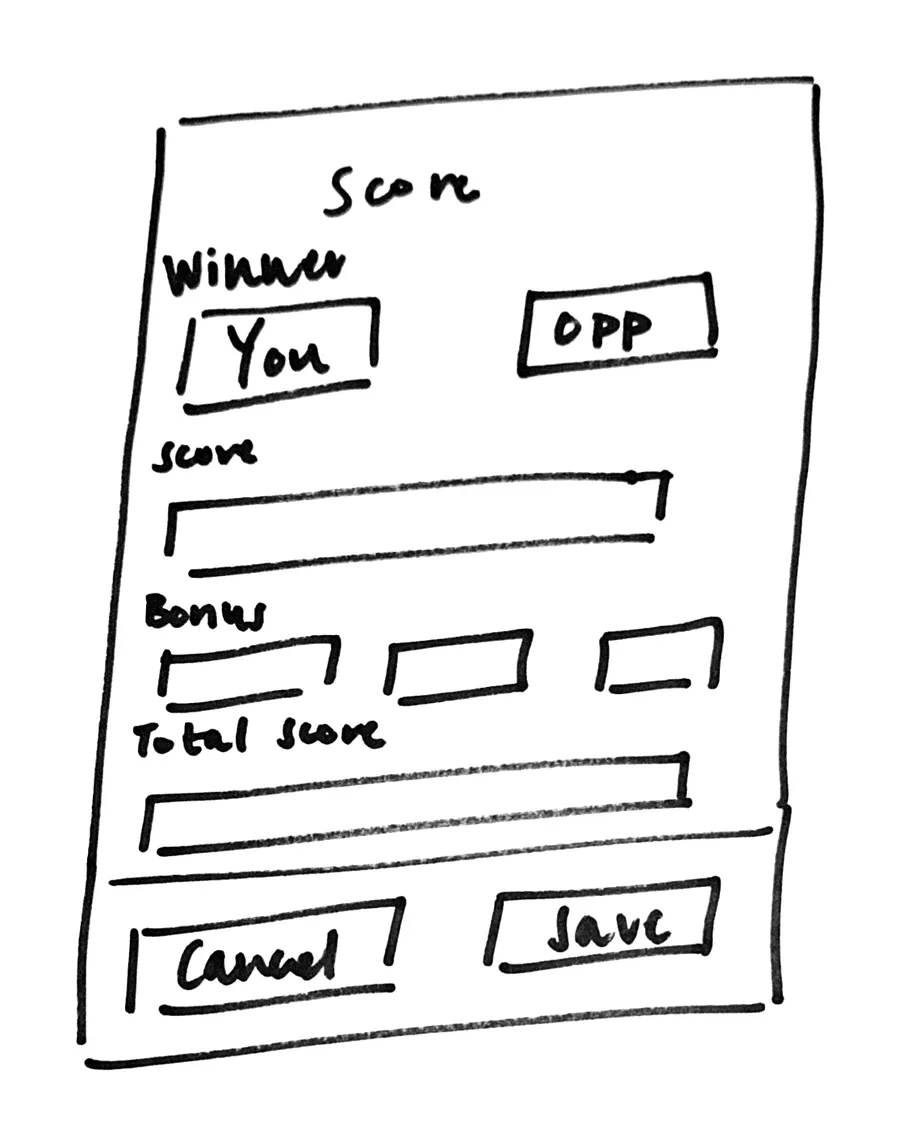
Before writing any code, I took a sharpie and a blank page and sketched the 2 screens I’d use most, the game and entering a score.
Sketch
Today
Sketch
1.0, June 2025
From sketch to code
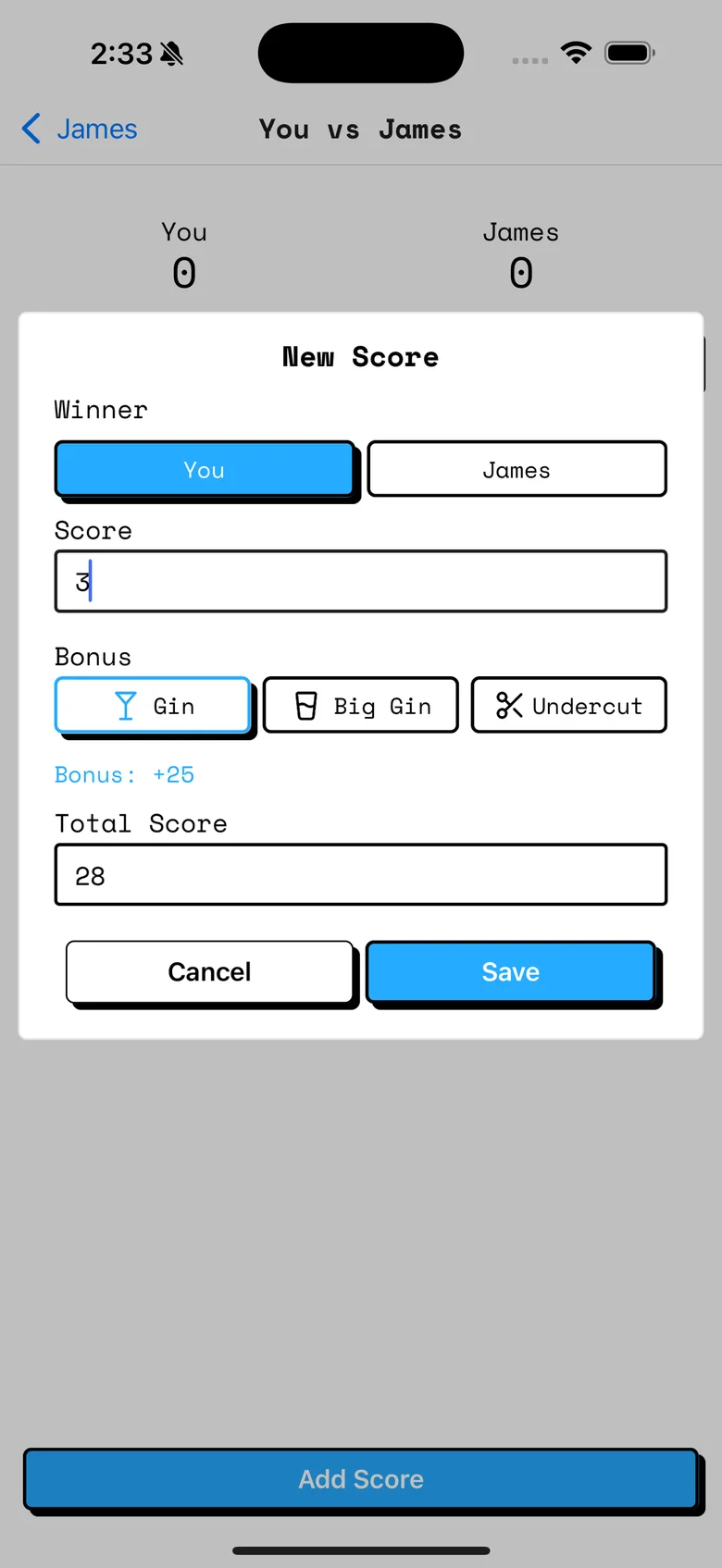
My first working version had 2 number boxes per round, one for each player. That matched paper but not the game, since only 1 player scores a hand. In my next iteration, entering a hand became a New Score screen that goes in the game’s order. You pick the winner, type the points, tap a bonus, and see the total.
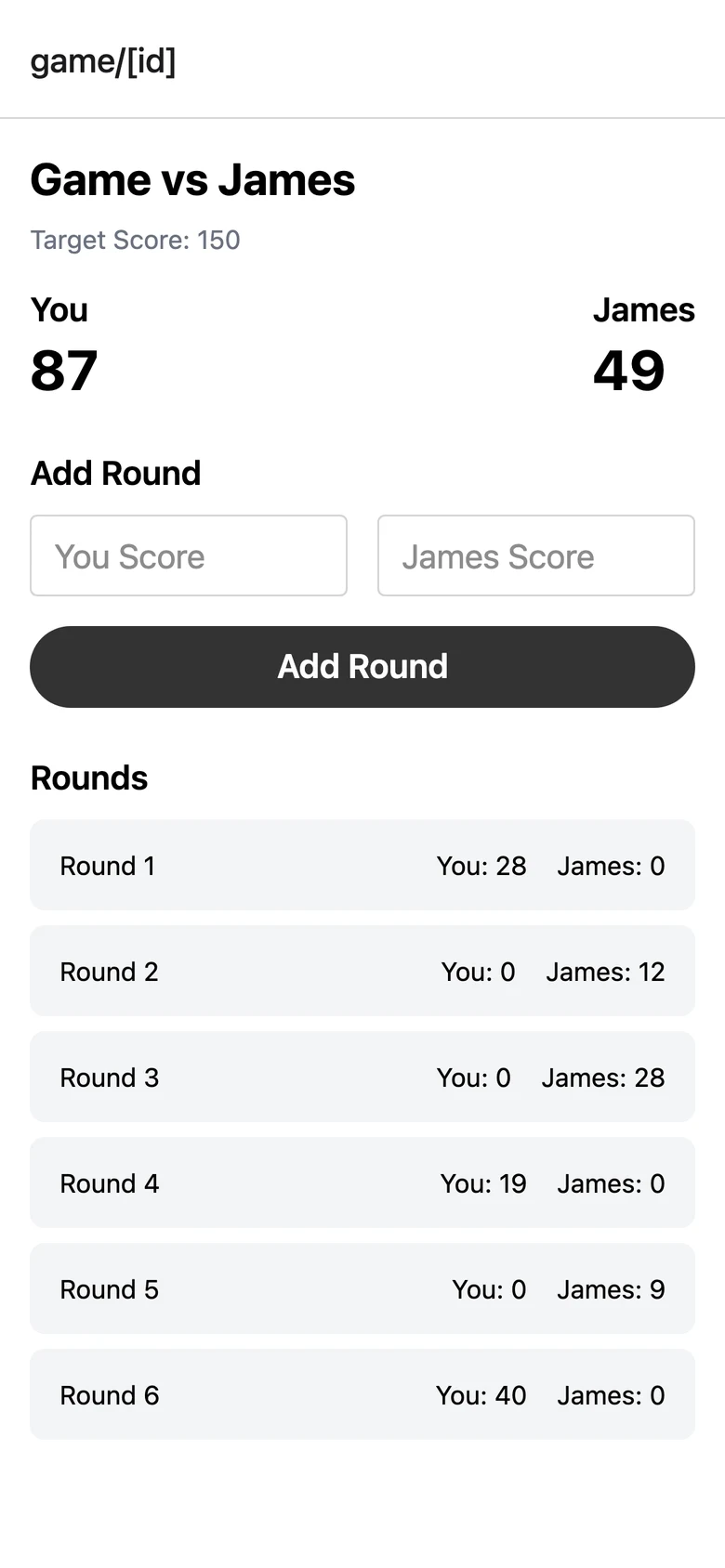
First version
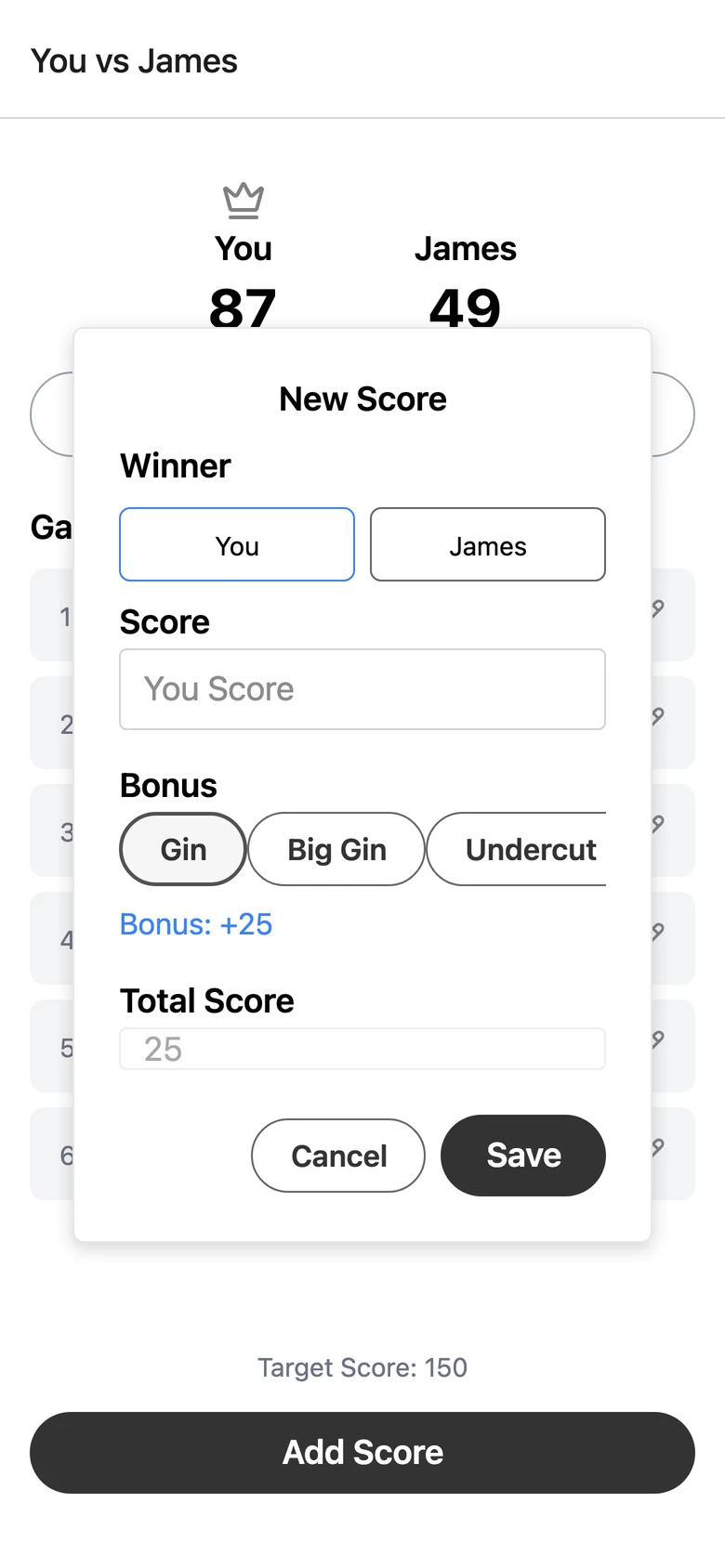
Next iteration
1.0
Prototyping & testing
People were adding the bonus twice
When people tested early builds, I noticed them typing scores that already included the bonus, so it got counted twice. So I added the bonus in blue under the buttons, with the total underneath, to make sure people knew the points were already being added.
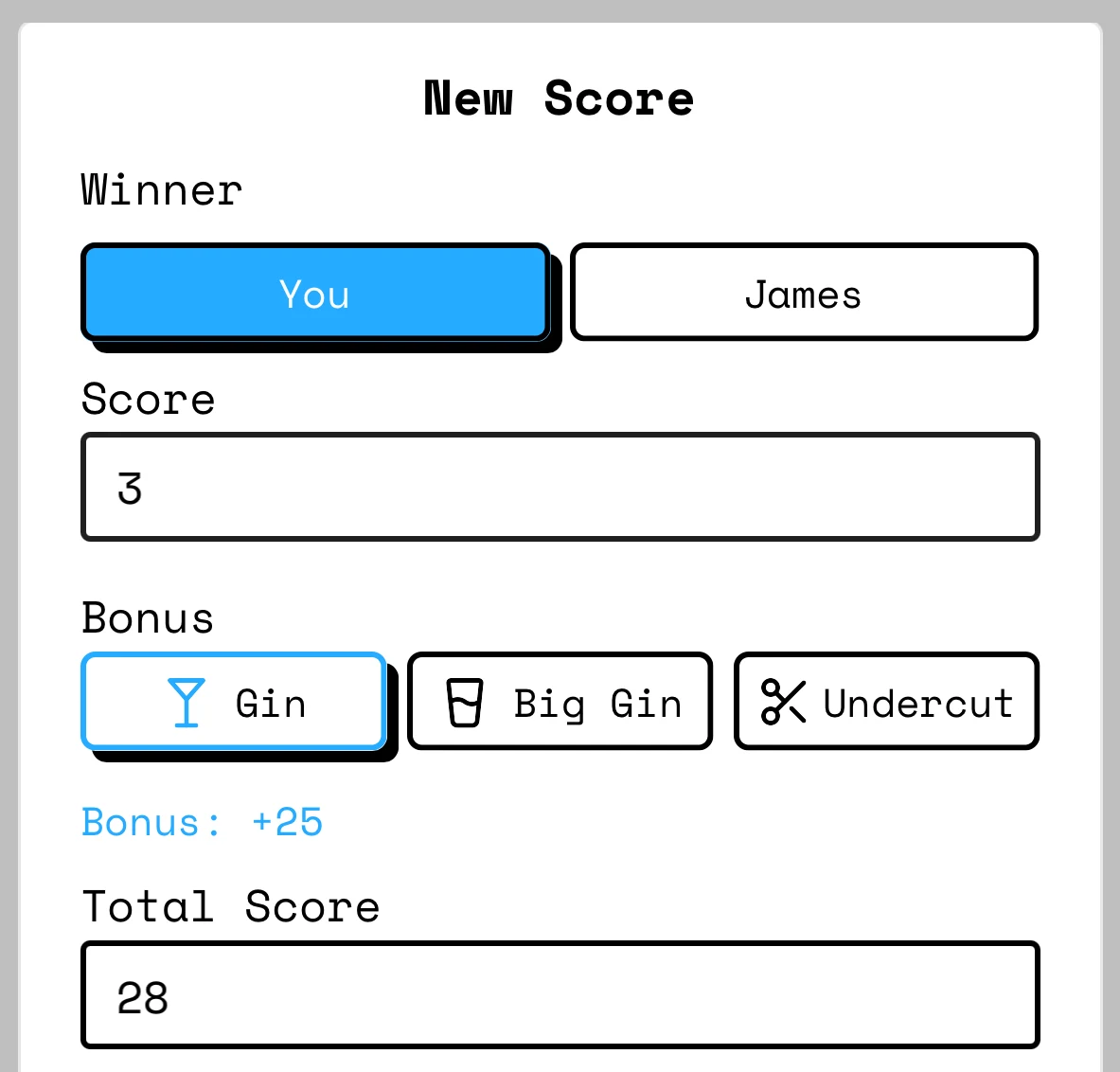
4 of 5 people wanted bigger buttons
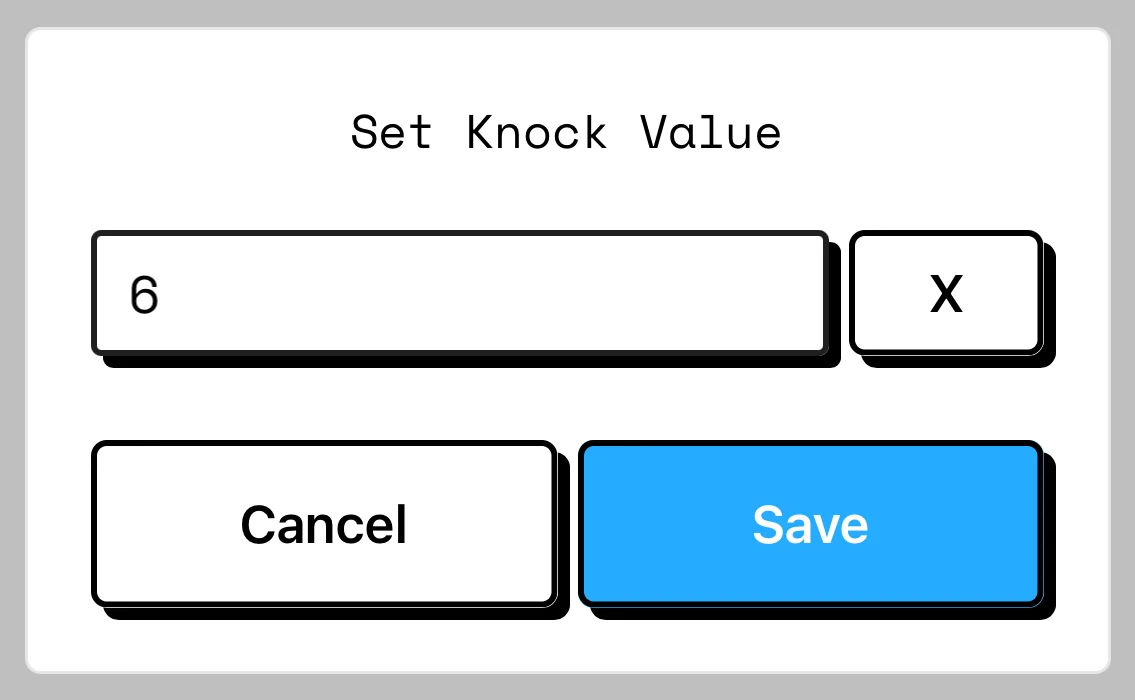
After launch, 4 of the 5 people I asked said the buttons needed to be bigger. So every main button is now full width and 64px tall, and the knock dialog got bigger too. Bigger buttons are easier to hit, especially for older players.
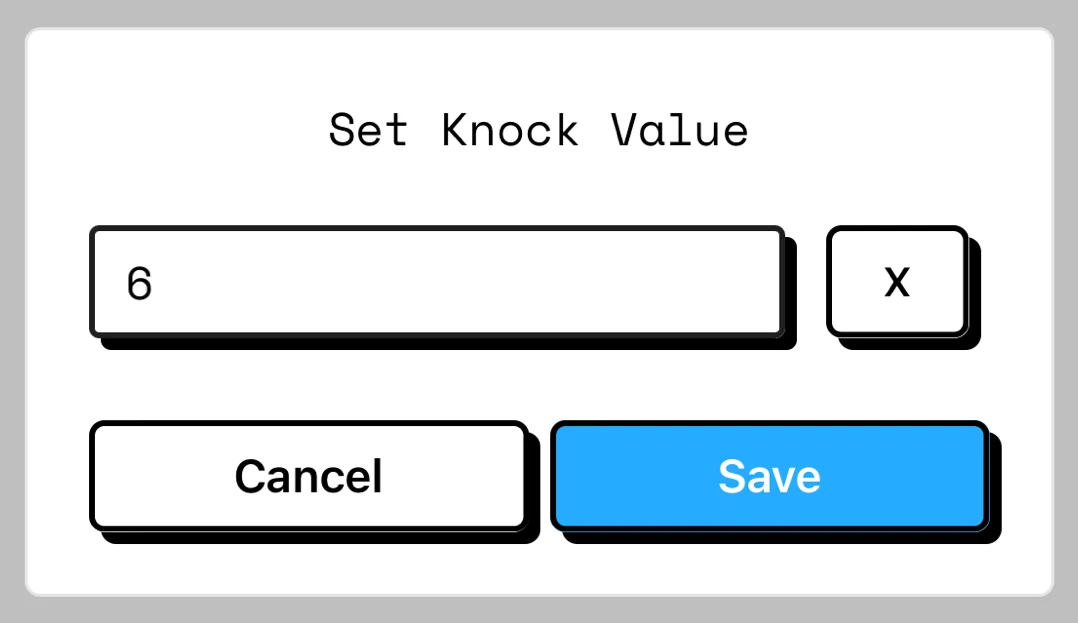
Before
After
A 1-star review found the paywall in the wrong place
★★★★★
“This sucks, I can’t actually finish a game, guess I have to delete it.”
Free games went up to 100 points. At launch, the app checked that limit when you saved a hand, and opened the paywall instead of saving any hand that took a total past 100. The hand that ends a game usually does, so most free games couldn’t be finished.
The fix moved the paywall to after the win. Scoring is never blocked now. You finish the game, see who won, and then get the choice to keep playing past 100 with Premium. The fix shipped in June, and I replied to the review, “The free game is meant to play all the way through so you can try the app before buying, and it wasn’t doing that for you.”
Another review asked for a feature I already had
★★★★★
“Needs a delete (Del) deletion to delete started but never finished. … Thanks for adding the delete function!! Love this tracker. Works great on planes and trains!”
Delete was already in the app, but it was hidden in Game Options behind the settings gear, and only for Premium. In the same June update I made editing and deleting games free, and the reviewer found it and updated their review.
Design decisions
What I took from the other apps
I learned from the other apps what to keep and what to fix.
Winner first
The people I asked counted the cards before adding the bonus, and Gin Rummy Score Tracker followed that order, so New Score does too.
Bonuses in one tap
The general score keepers left the Gin math to players, so Gin, Big Gin and Undercut are one tap each and show as icons in the round history.
Free to try
GinSC and Gin Rummy Score Tracker charged before you could open them, and GinSC crashed after I paid, so a free game plays all the way through before Premium comes up.
2 players, 1 screen per hand
Ginscorer Pro was a grid for groups playing for money, so mine is made for 2 players, with 1 screen per hand.
No ads
6 of Rummy Score Sheet’s 10 reviews were complaints about ads, so Gin Score Tracker has none.
Fix any round
A Rummy Score Sheet review asked for a way to edit scores, so every round has a pencil to fix it.
Neo-brutalism
Visually, I leaned into a neo-brutalist UI with bold colors, thick borders, raw geometry, and a deliberately “unpolished” aesthetic that feels both nostalgic and modern. Gin is played in person, so I wanted the app to feel analog, with buttons that look like real buttons you press. Every button and field has a 2px black border and a hard black shadow, the main buttons are 1 bright blue, and titles are set in Space Mono. Opponents’ initials are set in Card Characters, a font based on the letters on Bicycle playing cards. The icon, a jester and the word GIN on black, set the look for every score tracker after it.
Rules per opponent, frozen per game
Reviews of the other apps kept asking for their own rules, so bonus values and the target score are settings, and each game keeps the rules it started with, so changing a default later doesn’t rewrite old games. In February 2026, after receiving feedback from a user in real life, I added game options to change the rules mid-game. If you change a bonus, the app asks whether to update the rounds already played.
Game
Game options
★★★★★
“Love the little icons for gin or an undercut and that you can change the rules for each opponent since I know people who play different versions of the game.”
Reflection
I learned how to scope a project tightly, prioritize user experience, and ship before it’s “perfect.” Choosing a small but meaningful idea that solved a real need, in this case for friends and family, made development faster and more focused.
The review taught me that where a paywall sits is a design decision. The limit was fine, the moment it showed up was wrong.
Reviews, of other apps and of my own, turned out to be some of my best research. They told me what to build, what to fix, and what people couldn’t find.
How I built it
React Native and Expo with NativeWind. Games live on the phone, with no account and no internet needed. The engineering side has the details.