Blogger
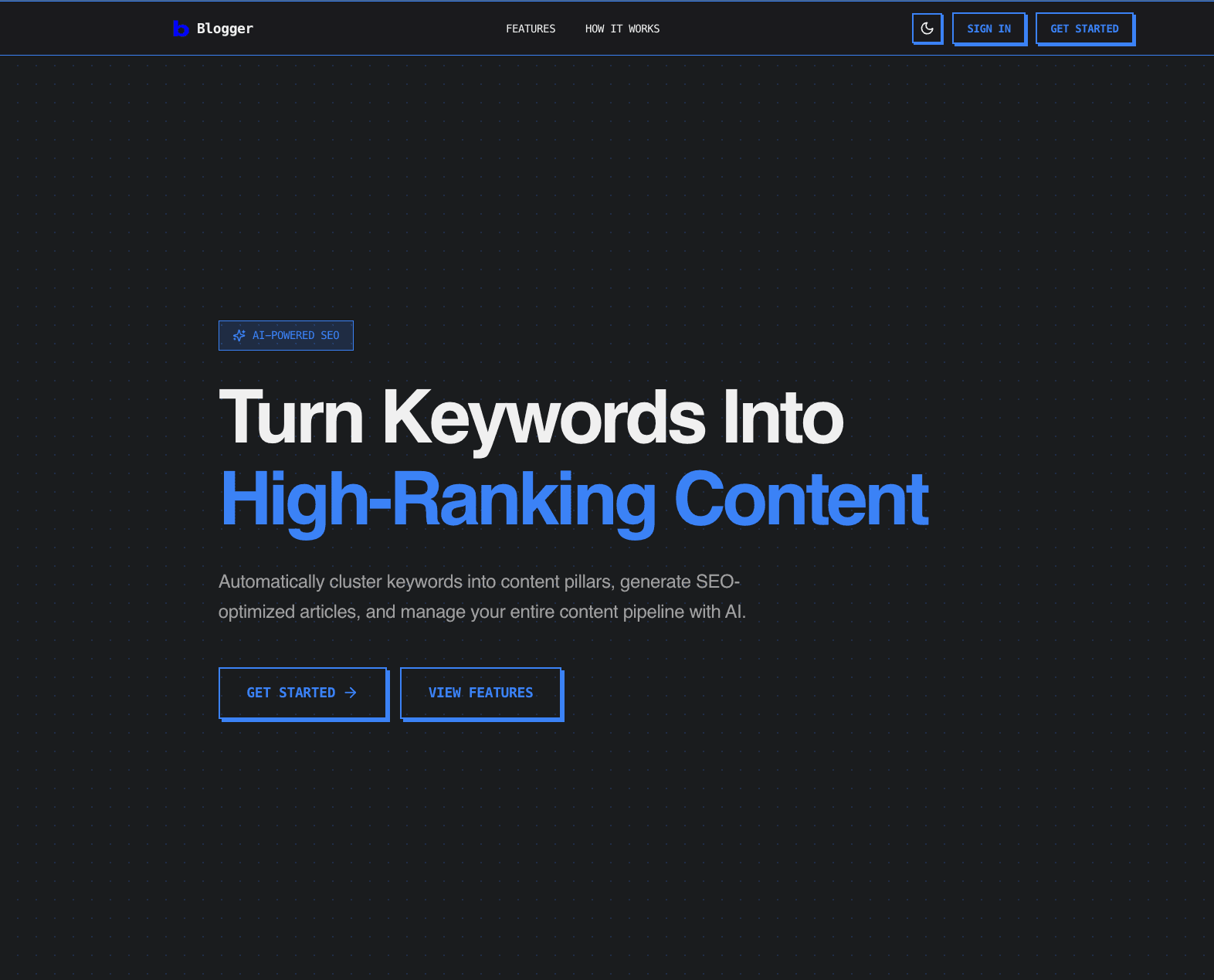
An AI writing companion that turns keyword research into an SEO content plan (pillars + clusters) and publish-ready blog posts.
Blogger is a full-stack web app for planning, generating, editing, and publishing SEO content. It helps you go from a messy list of keywords to a structured topical map, then produces drafts you can refine in a rich text editor and push to multiple platforms.
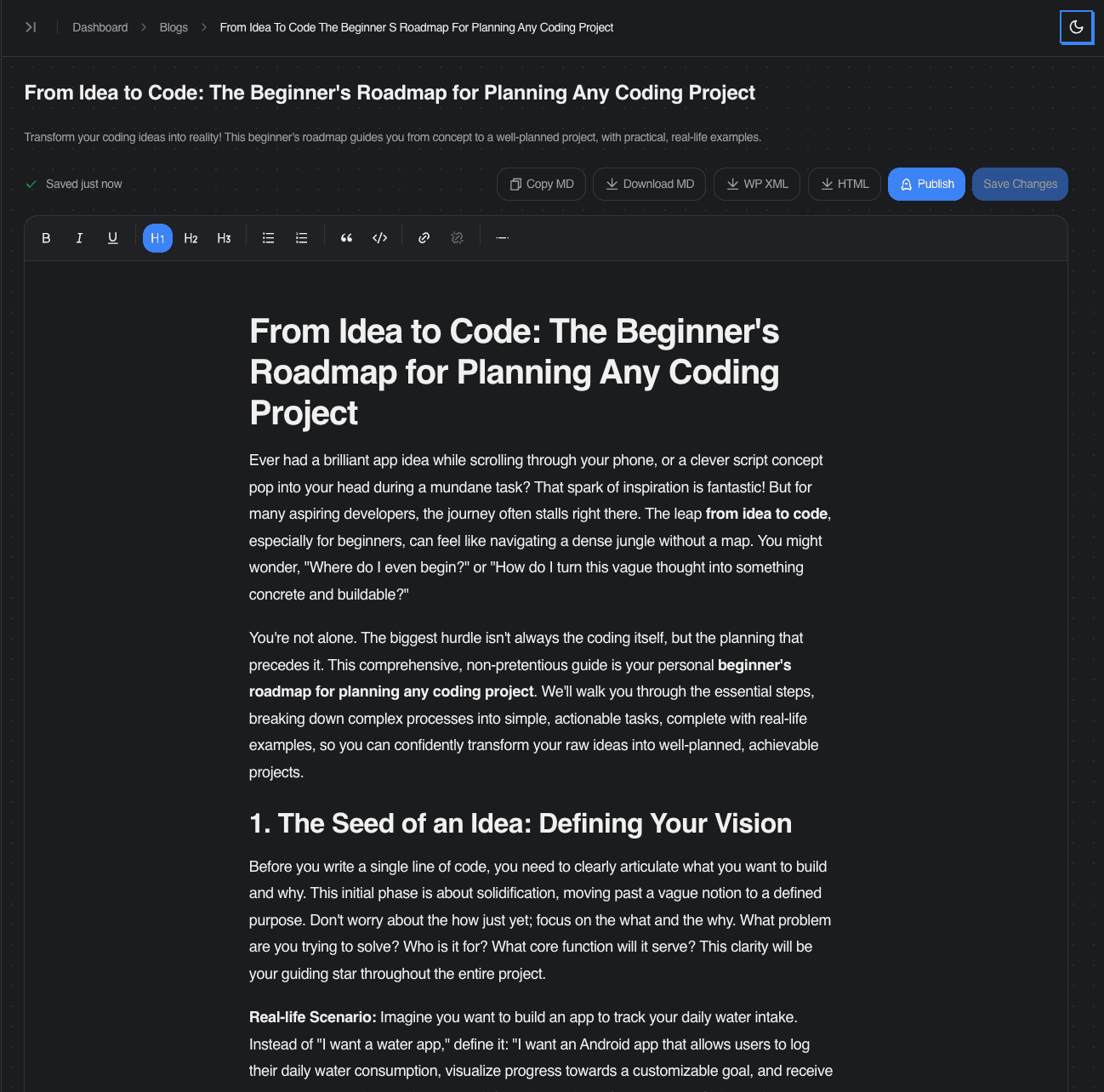
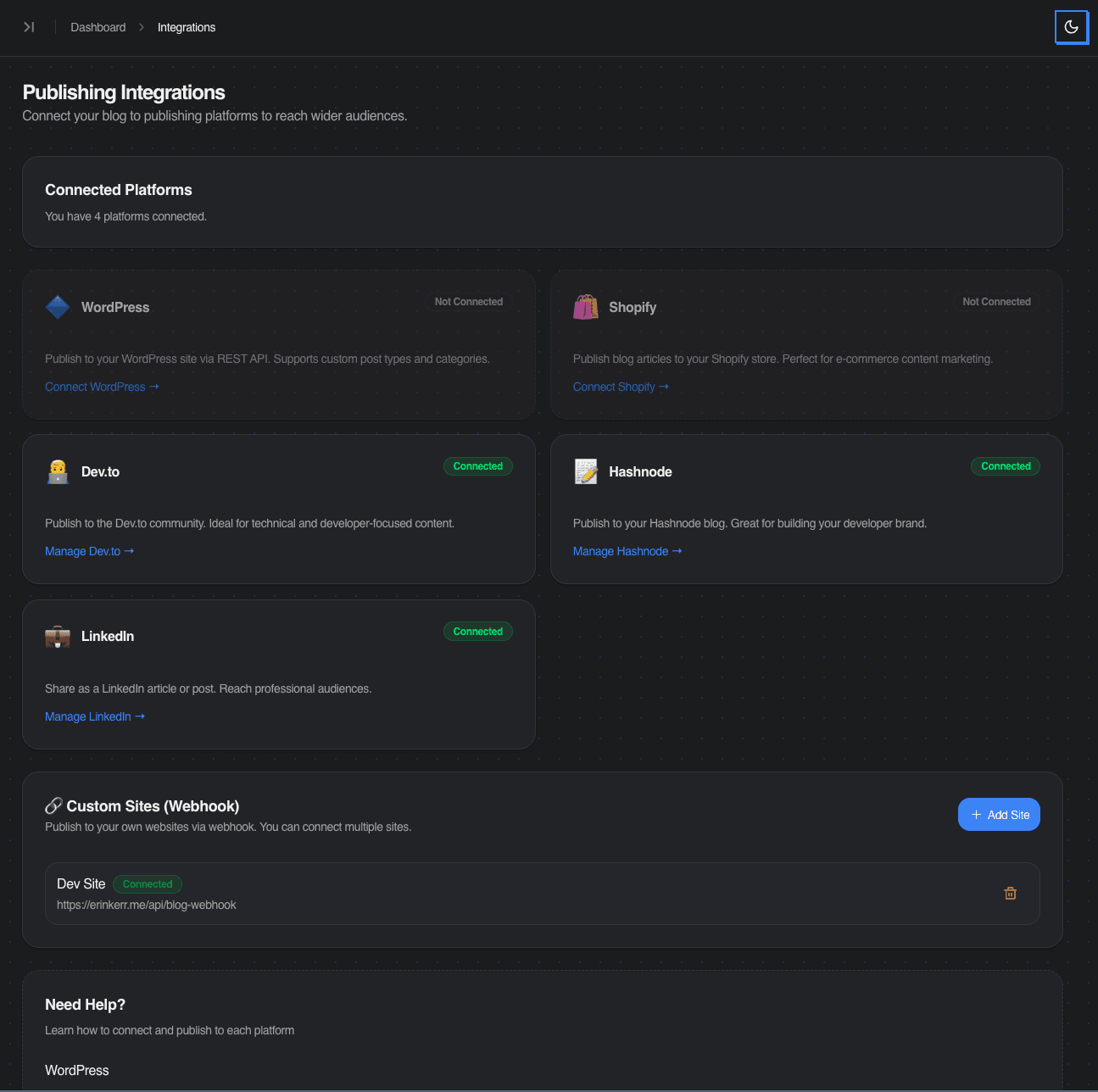
Key features include AI keyword generation and clustering, pillar creation, subtopic and blog idea generation with intent classification, full HTML draft generation with inline AI editing, autosave, and exports (Markdown, HTML, WordPress XML). One-click publishing supports WordPress, Shopify, Dev.to, Hashnode, LinkedIn, and custom webhooks, with optional SEO internal linking via automatic pillar-link injection at publish time.
Project Purpose & Goal
The goal was to compress the entire SEO workflow — research, strategy, writing, and distribution — into one tool, while keeping a human-in-the-loop editing experience.
Instead of generating one-off posts, the product is oriented around building topical authority: pillars, supporting articles, and internal links. The idea is that a single tool should handle the full pipeline from keyword collection to published content, without bouncing between spreadsheets, AI chat windows, and CMS dashboards.



Stack & Explanation
The frontend is built with Next.js 15, React 19, and TypeScript using a single repo for both UI and API routes. Styling uses Tailwind with shadcn/ui and Radix primitives for accessible, rapid UI development.
Data is stored in PostgreSQL with Drizzle ORM for type-safe SQL and lightweight runtime. The content graph models pillars, keywords, subclusters, and blogs as explicit relationships rather than flat lists.
AI generation uses Gemini via the Google Generative AI SDK, with structured prompts (JSON/HTML) and defensive parsing to handle non-deterministic outputs. The editor uses TipTap for WYSIWYG editing with UploadThing for image uploads.
Publishing adapters handle per-platform formatting and API calls, with credentials encrypted at rest using AES-256-GCM. Auth, billing, and email use Better Auth, Stripe, and Resend respectively.
Problems & Thought Process
LLM output isn't reliable by default. I enforced structured prompts (JSON/HTML), added extraction fallbacks, and designed flows that fail softly — users can regenerate or edit rather than hitting a dead end.
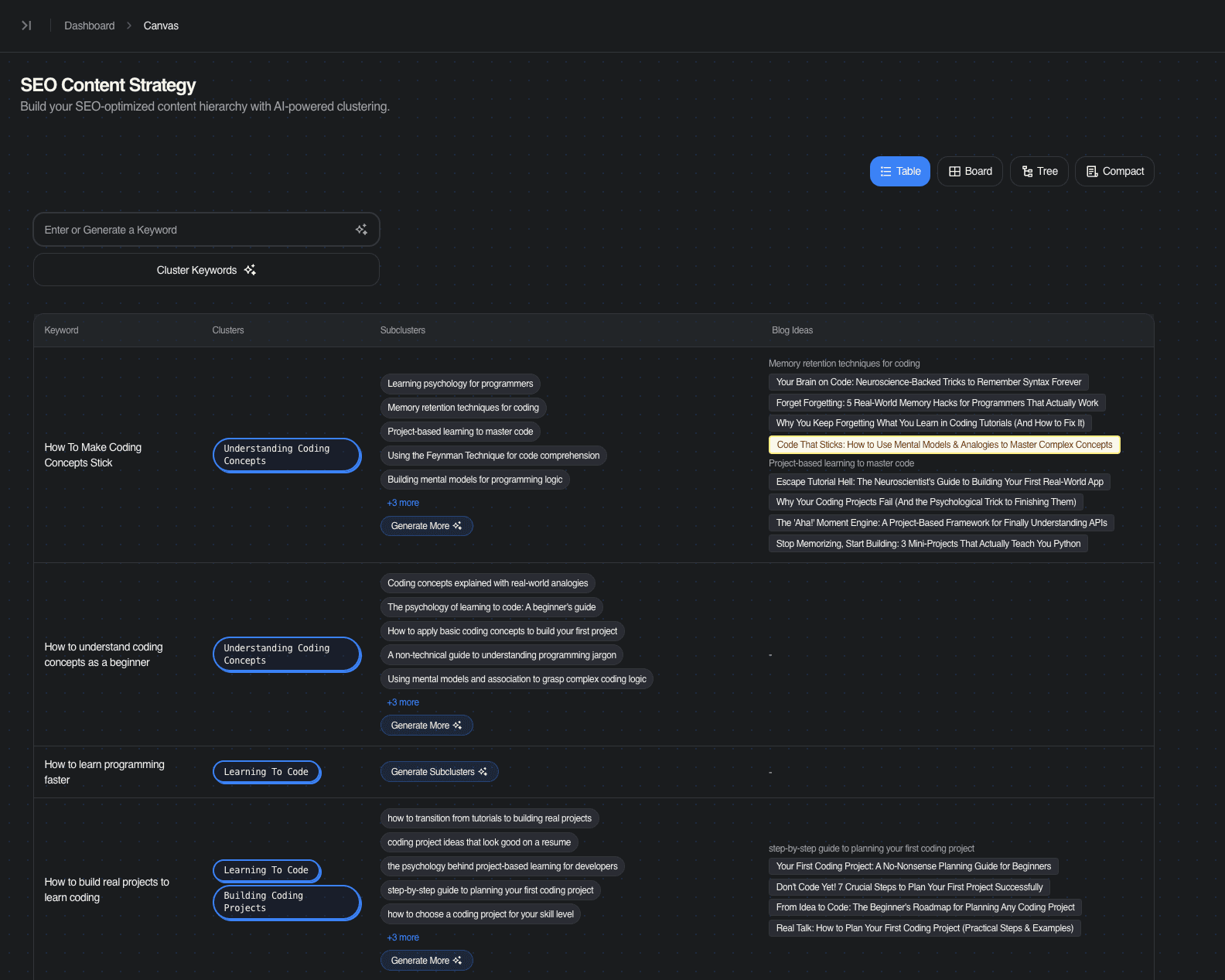
SEO strategy is hierarchical, not linear. Modeling data as pillars, keywords, subclusters, and blogs required building multiple canvas views (table, board, tree) so users can navigate at different zoom levels rather than scrolling through flat lists.
Publishing is messy across platforms. Each platform has different formatting requirements and API quirks. I implemented adapter modules per platform, tracked publish history, and used "update if already published" logic to avoid duplicate posts.
Internal linking matters for topical authority. I added optional pillar link injection to strengthen content clusters without requiring manual linking across every article.
Lessons Learned
Content systems work best when they're opinionated about structure (pillars and clusters) but still editable at every step. Forcing a hierarchy helps users think strategically, but locking them into it kills adoption.
Treat the LLM as an unreliable dependency: validate, parse defensively, and design retryable UX. Every generation step needs a graceful fallback, not just an error message.
Integrations need audit trails. A durable publish history and idempotent updates prevent support nightmares when something goes wrong with a third-party API.
Storing HTML is convenient for publishing, but it forces you to think about sanitization, rendering safety, and portability early — not as an afterthought.